

A pipeline in a CRM is the set of stages a potential sale moves through, from first contact to final outcome. In plain English, it shows where each deal sits and what should happen next.
If your sales process lives in inboxes, notebooks, and someone’s memory, things slip. A CRM pipeline puts the journey in one place, so you can spot stalled deals, follow up on time, and stop guessing. First, it helps to see what that pipeline is doing day to day.
What a pipeline in a CRM actually does
A CRM pipeline is a visual map of your sales process. Each stage marks a real step, such as a lead coming in, a proposal going out, or a deal closing. Instead of treating every prospect the same, you can see who needs a call, who needs a quote, and who has gone quiet.
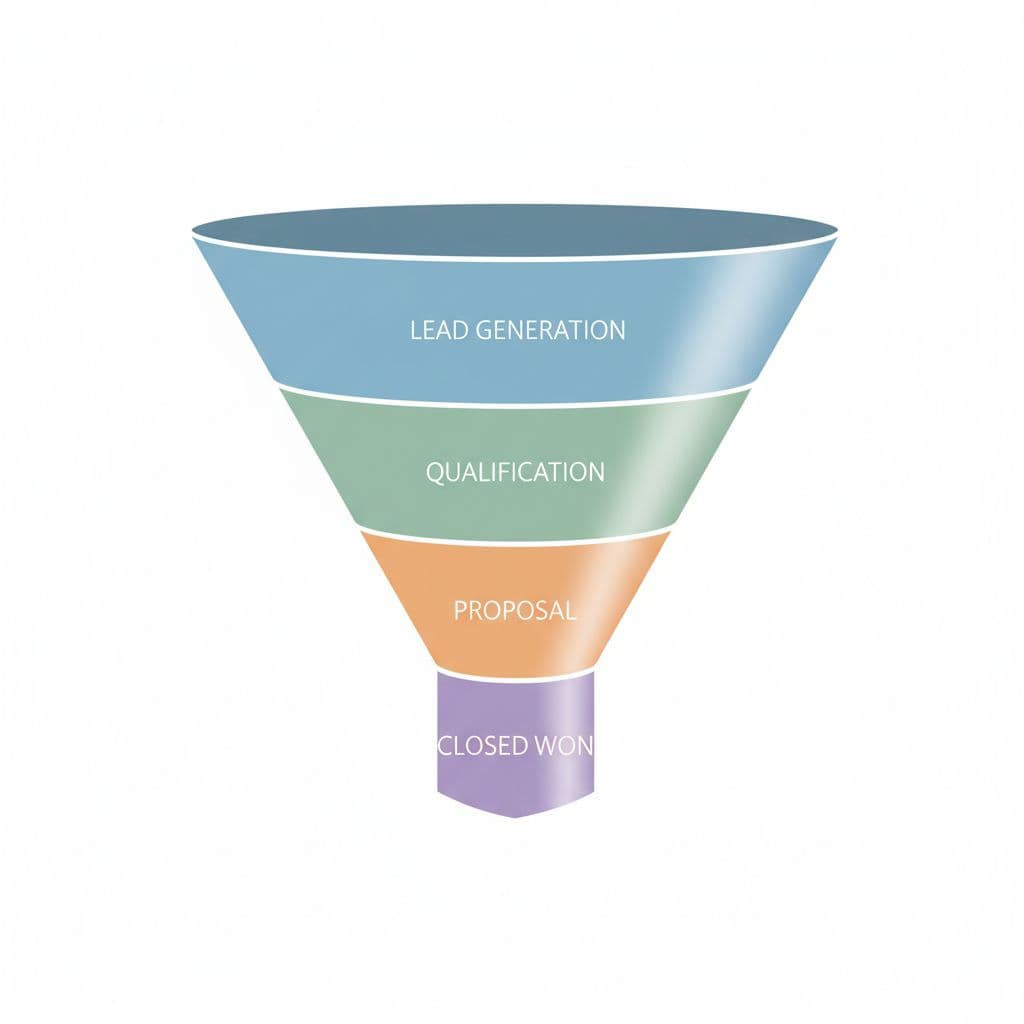
For a small business, that matters more than fancy charts. A good pipeline cuts through chaos. It shows how many deals are active, how much revenue may land soon, and where your team is losing momentum.
It also makes handovers easier. If a sales rep is on holiday or off sick, someone else can open the CRM and understand the story. Notes, next actions, and deal stage sit in one place. No detective work, no panic, no sticky note archaeology.
A pipeline also helps with planning. If most deals stall before proposal, you may have a qualification problem. If plenty reach negotiation but few close, price, timing, or trust may be the issue. The pipeline gives you clues without the drama.
Most importantly, it keeps sales practical. You don’t need to remember every detail in your head. The system shows what each deal needs next, so the team can act instead of guessing.
Common CRM pipeline stages, explained simply
Most pipelines follow the same broad path. The names can vary, but the logic stays much the same.
This quick table shows the stages many businesses use.
| Stage | What it means |
|---|---|
| Lead | A person or company has shown interest, but you know little about fit or timing. |
| Qualified lead | You’ve checked the basics and believe the opportunity is real. |
| Proposal | You’ve sent pricing, a quote, or a plan. |
| Negotiation | You’re discussing terms, timing, scope, or price. |
| Closed won/lost | The deal has ended, either with a sale or a no. |
Those stages are simple, but each one has a job. A lead might come from a contact form, a referral, a LinkedIn message, or a marketing campaign. They are on your radar, but they are not ready for a full sales pitch yet. Some leads are a strong fit. Others are tyre-kickers with excellent enthusiasm and no budget.
A qualified lead is different because you’ve checked the basics. They need what you offer, the timing makes sense, and the chance of a real sale is there. In other words, this is not a random name in a spreadsheet.
Proposal means you have sent something concrete. That could be a quote, pricing options, a statement of work, or a suggested package. At this point, the deal starts to feel solid because both sides are discussing actual terms.
Negotiation starts when details need changing. The client may want a lower price, a smaller scope, or extra time to decide. The deal is alive, but it still needs work.
Closed won and closed lost both matter. A won deal becomes revenue. A lost deal becomes a lesson. If you ignore lost deals, your pipeline can look cheerful whilst telling fibs.
Not every business needs these exact labels. A software company may add “demo”. A service firm may add “discovery call”. The rule is simple: only create a new stage when something real has happened.
Common mistakes when setting up a CRM pipeline
The first mistake is adding too many stages. A pipeline with 12 tiny steps often turns into a maze. People stop updating it because moving a deal feels like admin homework.
Another common wobble is using fuzzy labels. Stages like “hot”, “active”, or “follow-up” sound busy, but they don’t tell anyone what has happened. One person’s “hot” lead is another person’s polite maybe.
If two people can’t agree on what a stage means, the stage needs work.
A stronger pipeline uses clear rules. For example, a deal only moves to proposal once a quote has been sent. It only moves to negotiation once the customer replies with changes, questions, or objections. That way, stages track facts, not mood swings.
Businesses also mix tasks with stages, and that causes trouble. “Call client” is a task. “Qualified lead” is a stage. Keep those separate. Your CRM should show both, but they do different jobs.
To keep stages clear and actionable, give each one an obvious next step. A new lead might need a first call within 24 hours. A proposal may need a follow-up date. Closed lost should include a reason, such as price, timing, or no decision. Small details like these turn a nice-looking pipeline into a useful one.
Review the pipeline every few months as well. If deals pile up in one stage, something is off. Maybe the stage is too broad. Maybe the team needs a better process. A messy pipeline is like a junk drawer with revenue attached.
Conclusion
A pipeline in a CRM is a simple way to track how deals move from interest to outcome. When the stages are clear, your team knows what each deal needs and what should happen next.
The smartest pipelines are not long or flashy. They are easy to follow, based on real actions, and updated often enough to stay honest. When that happens, sales stops feeling like guesswork and starts looking a lot more manageable.


Leave A Comment